

Know when your email
is opened
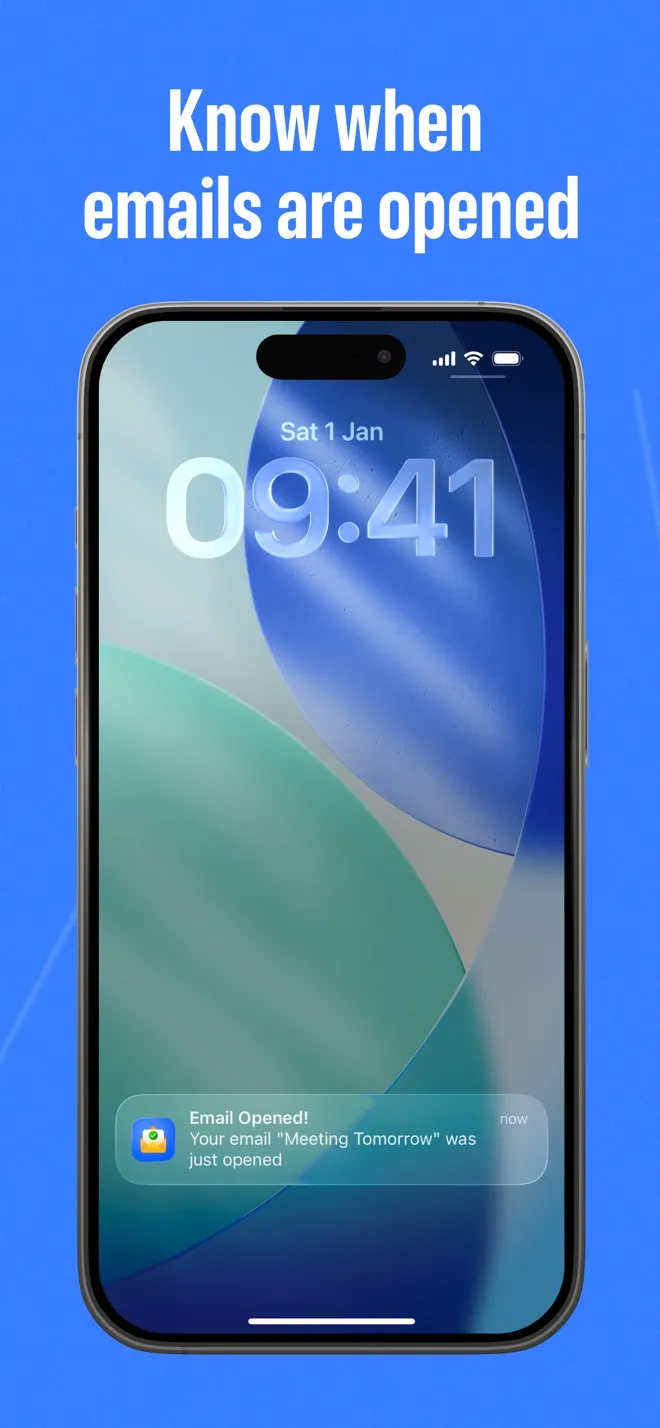
Email Tracker sends a push notification to your iPhone the moment a tracked email is opened, then shows you how many opens it got, when, and roughly where from.
- No sign-up
- Push notification on every open
- iPhone, iOS 17 or later
Works with your email
You send from your own address. Email Tracker opens Apple Mail's compose sheet with the tracking pixel already in place, so any account you have added to Apple Mail works.
- Gmail
- Outlook
- iCloud Mail
- Yahoo
- Any account in Apple Mail
How it works
Four steps, no account and no mailbox access. Only the emails you start in the app are tracked.
- 1
Start the email in the app
Open Email Tracker, tap Send Email and type the subject you want to track.
- 2
Send it from Apple Mail
Apple Mail’s compose sheet opens with an invisible tracking pixel already in place. Write your message, pick the recipients and send from your own address.
- 3
Get a push notification
When the recipient opens the email and their mail app loads images, your iPhone gets a notification.
- 4
Check the open history
Each tracked email shows the open count and every open: date and time, approximate location on a map, and the device or mail client when it is available.
See it in the app
Screens from Email Tracker on iPhone.
-
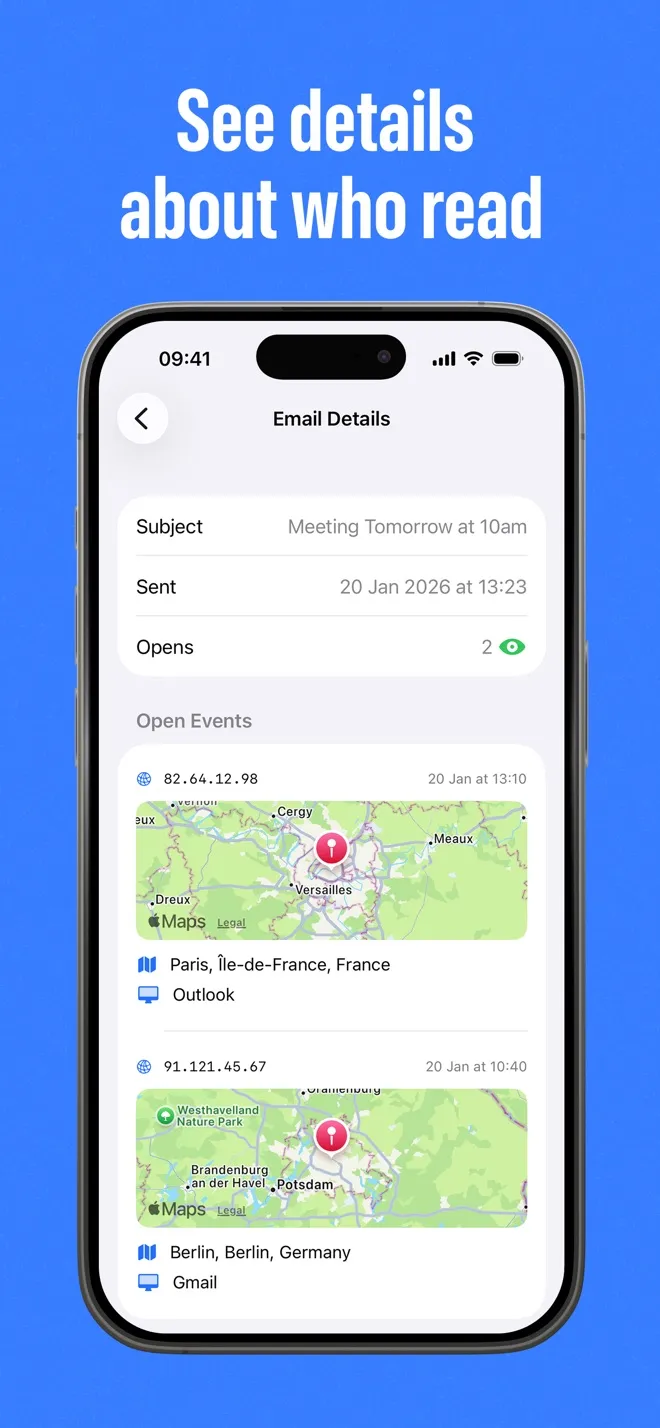
Every open, with time, approximate location and mail client.
-
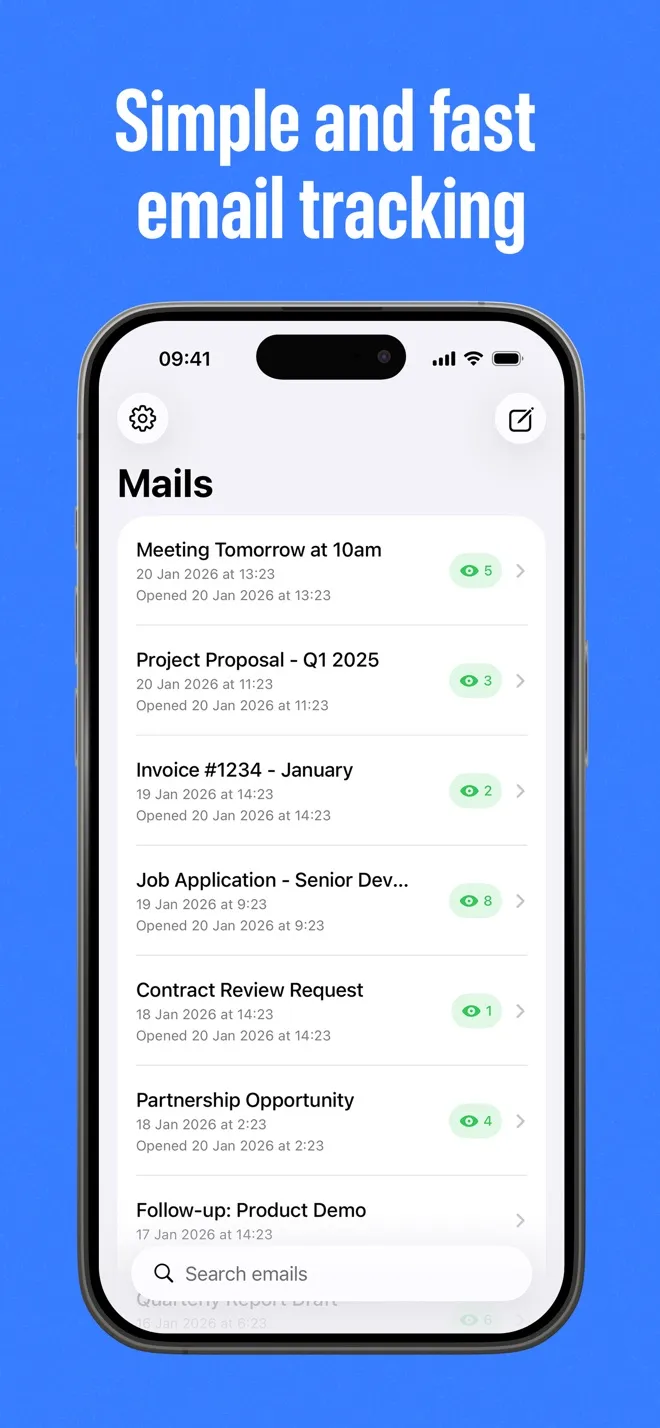
All your tracked emails and their open counts in one list.
What you get
Everything Email Tracker records about a tracked email, and nothing it makes up.
Instant push notification
Your iPhone buzzes as soon as a tracked email is opened. No refreshing, no checking the app.
Open count and history
See how many times an email was opened and scroll the full list of opens for every message you tracked.
Time of each open
Every open is stamped with the date and time, so you know when your message actually got attention.
Approximate location
City, region and country from the IP address, shown on a map. It is an estimate, not a pin on a person.
Device and mail client
When the mail app reports it, you also see the device and the client the email was opened in.
No sign-up
No account to create and no password to hand over. Email Tracker never signs in to your mailbox or reads it.
Any address in Apple Mail
Gmail, Outlook, iCloud, Yahoo, work addresses: if the account is set up in Apple Mail, you can track from it.
False opens filtered out
Opens from your own device and network are ignored, and so is Apple’s automatic image pre-fetch, so a notification means a real open.
Who uses Email Tracker
Anyone who sends an email that matters and would rather not wonder about it.
Job applications
See whether your application or your thank-you note was opened before you decide when to follow up.
Sales follow-ups
Time your next message around real interest instead of guessing, and stop chasing people who never saw the first email.
Freelancers and invoices
Know that the proposal or the invoice landed and was opened, which makes the polite reminder much easier to write.
Recruiters
Find out which candidates opened your outreach so you can spend your time on the conversations that are alive.
Real estate
Check whether a listing, an offer or a contract was opened before the call, and follow up while it is still fresh.
Personal important emails
For the message that matters, a landlord, a school, a family matter, at least you know it was opened.
What Email Tracker can and cannot tell you
Email tracking has real limits, and knowing them is what makes the data useful. Here is the honest version before you download.
What it can tell you
-
That a tracked email was opened
You get a push notification, and the email shows an open count that goes up with every new open.
-
When each open happened
Every open is listed with its date and time, so you can see the gap between sending and reading.
-
Roughly where it was opened
City, region and country from the IP address, with a map. Close enough to tell Berlin from Boston, not an address.
-
The device or mail client, sometimes
When the mail app identifies itself, the open shows which client and device loaded the email.
-
Whether a real reader loaded the images
Apple’s automatic image pre-fetch is ignored on purpose, so an open event is not triggered by the mail provider alone.
What it cannot tell you
-
Whether the email was read, or by whom
A pixel only shows that the images in the message were loaded. A forwarded copy that someone else opens counts as an open too.
-
Opens protected by Apple Mail Privacy Protection
Apple pre-downloads images through its own servers and hides the real open. Email Tracker ignores that pre-fetch rather than report a false open, so opens by those recipients usually cannot be detected. No pixel-based tracker can detect them.
-
Opens in mail apps that block images
Outlook on desktop blocks remote images by default, and so do many corporate systems. Nothing is recorded until the reader loads the images.
-
Location when images go through a proxy
Gmail loads images through Google’s servers: the open and its time are detected, but the location is hidden and shows as unknown. VPNs and data-centre IPs distort it the same way.
-
Emails you did not start in the app
Only messages composed through Email Tracker carry the pixel. Replies and emails written elsewhere are not tracked.
-
Your own test on the same phone
Opens from your own device and network are ignored, along with anything in the first 60 seconds, and repeat opens from the same reader within 5 minutes count once. Test with a recipient on another network.
More detail in Apple Mail Privacy Protection, why opens are not showing and how accurate open locations are.
Frequently asked questions
The questions people ask before they download.
Does the recipient know the email is tracked?
Nothing in the message tells them. The tracking pixel is an invisible image, and no banner or read receipt request is shown. If you write to people in the EU or the UK, consent and disclosure expectations under GDPR and ePrivacy rules may apply, so many senders add a short line to their signature. This is general information, not legal advice.
Does it work with Gmail, Outlook, iCloud and Yahoo?
Yes, as long as the account is added to the Apple Mail app on your iPhone. You send from your own address, so the recipient sees your normal email. One note about Gmail: it loads images through Google’s servers, so the open and its time are detected but the location shows as unknown.
Do I need the Apple Mail app?
Yes. Email Tracker uses Apple’s own compose sheet to attach the tracking pixel, so the Apple Mail app has to be installed with at least one account signed in. The Gmail and Outlook apps cannot be used to compose a tracked email, but Gmail and Outlook addresses work once they are set up in Apple Mail.
Why is an open not showing?
The most common reasons: the recipient has Apple Mail Privacy Protection turned on, their mail app blocks remote images, they have not opened the email yet, or you are testing on your own phone or network, which Email Tracker ignores on purpose. Opens in the first 60 seconds after a tracked email is created are also ignored.
What about Apple Mail Privacy Protection?
Apple pre-downloads remote images through its own servers for recipients who turned on Protect Mail Activity, which hides the real open. Email Tracker deliberately ignores that automatic pre-fetch so it never reports an open that did not happen. The trade-off is that opens by those recipients usually cannot be detected. No pixel-based tracker can detect them.
Can I track replies or emails I write somewhere else?
No. Only emails you start in Email Tracker carry the pixel. A reply you write in another app, or an email sent from your laptop, is not tracked.
How accurate is the location?
It is an estimate based on the IP address that loaded the image, usually correct at city or region level. VPNs, corporate networks and mobile carriers move it, and opens from data-centre or proxy addresses show no location at all. Treat it as a hint, not proof of where someone is.
Is there a Mac app, a Windows app or a browser extension?
No. Email Tracker is an iPhone app and needs iOS 17 or later. There is no desktop app, no browser extension and no Android version.
Does Email Tracker read my mailbox?
No. There is no sign-up and the app never signs in to your email account or reads your messages. It records the subjects of the emails you choose to track and the open events for them, which include the IP address, the approximate location derived from it and the mail client reported by the reader.
How do I cancel my subscription or get a refund?
Subscriptions are billed by Apple. To cancel, open Settings on your iPhone, tap your name at the top, then Subscriptions, and cancel Email Tracker there. Refunds are handled by Apple at reportaproblem.apple.com.
Stop wondering whether your email landed
Download Email Tracker free on the App Store and get a notification the next time one of your emails is opened.
iPhone, iOS 17 or later. Free download with an optional subscription.